








Ugreen NAS for Creators, Why I Chose It for Backups and 4K Footage
If you create content, especially video, you already know the pain.
Footage scattered across portable drives, SSDs filling up fast, and that constant fear that something will fail at the worst possible time.
I reached a point where my storage setup was pure chaos. External drives everywhere, cloud subscriptions getting more expensive every year, and no single place where everything is safely stored.
That is when I decided to move to a NAS.
The real problem creators face is lost footage and storage chaos
Portable drives are great until they are not.
They get dropped, cables fail, drives get full, and suddenly you are juggling which footage lives where. Add 4K video into the mix, and the problem escalates fast.
Cloud storage sounds convenient, but for large video libraries, it becomes expensive, slow to upload, and unreliable when you actually need to pull files quickly.
I needed something local, fast, expandable, and under my control.
What a NAS actually does in simple terms
A NAS, or Network Attached Storage, is basically your own private cloud at home or in your studio.
Instead of plugging drives directly into your computer, all your storage lives in one dedicated box connected to your network.
You can
Access files from multiple devices
Backup footage automatically
Protect data using RAID
Expand storage over time
Avoid monthly cloud fees
For creators, it becomes the central brain of your entire workflow.
Who should buy a NAS?
A NAS is not just for tech people.
It makes sense for
Content creators working with photo and video
Families backing up phones and laptops
Small businesses storing shared files
Anyone tired of juggling external drives
If you are shooting in 4K, travelling often, or editing across multiple devices, a NAS quickly becomes essential.
My recommended Ugreen NAS models and why
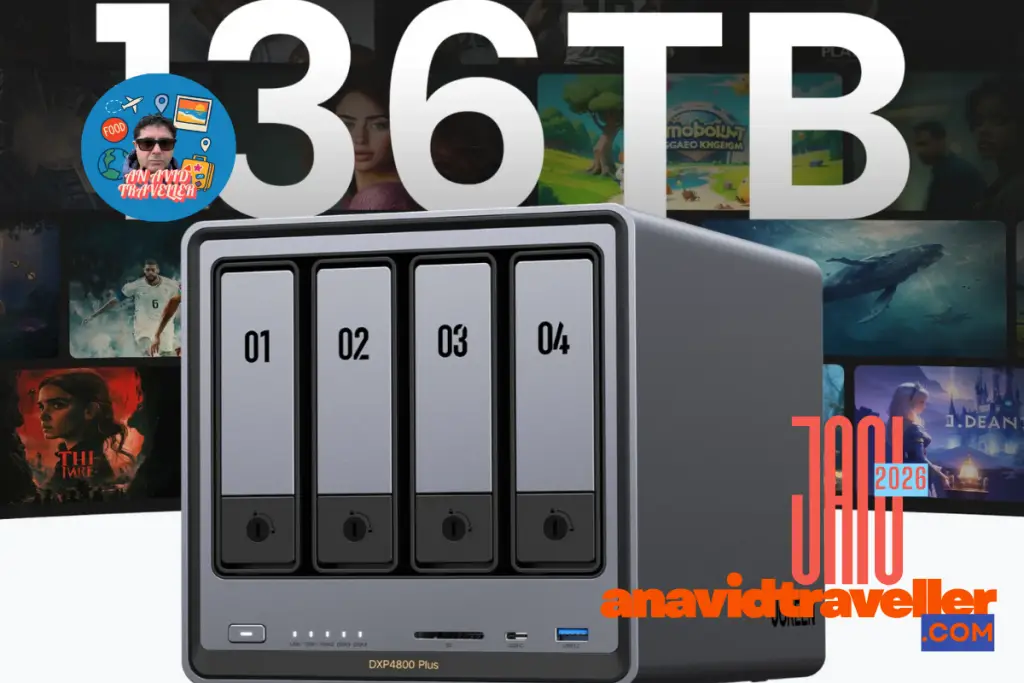
I am currently using the Ugreen DXP4800 Plus, and it fits my needs perfectly.
Why this model works for me
Four HDD bays for ample capacity storage
Two NVMe slots for fast cache or separate storage
Strong performance for media and backups
Quiet and clean setup
Excellent value compared to similar systems
The combination of HDD bays and NVMe slots is what sold it for me.
Ugreen DXP4800 Plus, my current setup
This is my real-world configuration, no theory.
HDD setup
Four Seagate 14TB hard drives
Configured in RAID 5
NVMe setup
Two Samsung 2TB NVMe drives
Configured in RAID 1
What this gives me
Total raw HDD capacity of 56TB
Usable HDD storage of approximately 42TB after RAID 5
2TB of mirrored NVMe storage for speed and redundancy
I use the HDD pool for long-term storage and archives, and the NVMe pool for faster access to files and system tasks.
This setup gives me both capacity and peace of mind.
My real-world workflow as a creator
My real-world workflow as a creator
All my footage goes to the NAS first.
From there
I edit locally
Backups happen automatically
Nothing lives on a single fragile drive
I can access files across devices
It has simplified everything. No more guessing where files are stored or worrying about which drive has what.
What I would do differently
I would have bought a NAS a long time ago instead of paying for costly cloud storage. Honestly, I would have bought a NAS much earlier.
I spent years paying for expensive cloud storage like Google Drive and Apple iCloud, and still did not feel entirely secure.
A NAS has a higher upfront cost, but in the long term, it saves money and gives you complete control over your data.
Is a Ugreen NAS worth it for creators?
If you are serious about content creation, yes.
Especially if you
Work with large video files
Value data security
Want to stop paying monthly cloud fees
Need a scalable storage solution
For me, it was one of the best tech decisions I have made.
Final thoughts
A NAS is not exciting gear like a new camera or lens, but it is one of the most important upgrades you can make as a creator.
The Ugreen DXP4800 Plus has given me stability, organisation, and confidence that my footage is safe.
FAQ:
What is a NAS in simple terms
A NAS is a storage device connected to your network that lets you store, back up, and access files from multiple devices, like having your own private cloud at home or in your studio.
Is a NAS worth it for content creators
Yes. If you work with large photo or video files, a NAS helps keep everything organised, protected, and accessible without relying on multiple external drives.
Which Ugreen NAS model are you using
I am using the Ugreen DXP4800 Plus.
Why did you choose the Ugreen DXP4800 Plus
It offers four hard drive bays for large storage, two NVMe slots for speed, solid performance, and excellent value compared to similar systems.
What is your real world storage setup
I use four 14TB Seagate hard drives in RAID 5 and two 2TB Samsung NVMe drives in RAID 1.
How much usable storage do you actually get
From the hard drives, I get around 42TB of usable storage. From the NVMe drives, I get 2TB of mirrored fast storage.
Is RAID a backup
No. RAID protects against drive failure, but you should still have an additional backup, such as another NAS or an off site solution.
Can a NAS replace cloud storage
For many creators, yes. A NAS can significantly reduce or eliminate the need for expensive cloud subscriptions, especially for large video libraries.
Is a NAS difficult to set up
Modern NAS systems are much easier to set up than people expect. Basic setup can usually be done in under an hour.